If you’re using WordPress and your homepage or other pages are affected by redirects to .icu domains, including tap.readmylastnotes.icu, followfromsearch.icu, whitelllshop.icu, or blackkkkkdate.icu, this article might be helpful.
In the last few days, I’ve already fixed several websites affected by this attack, and a few of them had the Avada theme installed, most likely with outdated plugins.
If you need assistance upgrading your website, along with AVADA theme and core plugins, feel free to get back to us.
Try our free site check.
A malware analyst will provide a security report for your website.
Table of Contents
How this malware works?
A malicious JavaScript executes at random, often avoiding certain bots and web crawlers. It may display fake reCAPTCHA pages to users or redirect them to malicious or fraudulent networks.
Multiple redirects are commonly used to evade security vendors, detection systems, and domain blacklists.
Red flags:
- Suspicious redirects.
- Warnings in Google Search Console.
- Google Ads disabled due to a compromised website.
- Malware alert from your hosting provider.
Recovery plan
Before starting addressing .icu malicious redirects, It’s important to design a plan which should cover key points.
- Prevent reputation damage, data loss, and malware exposure to visitors by temporarily taking the website offline.
- Review the website structure and identify all active components.
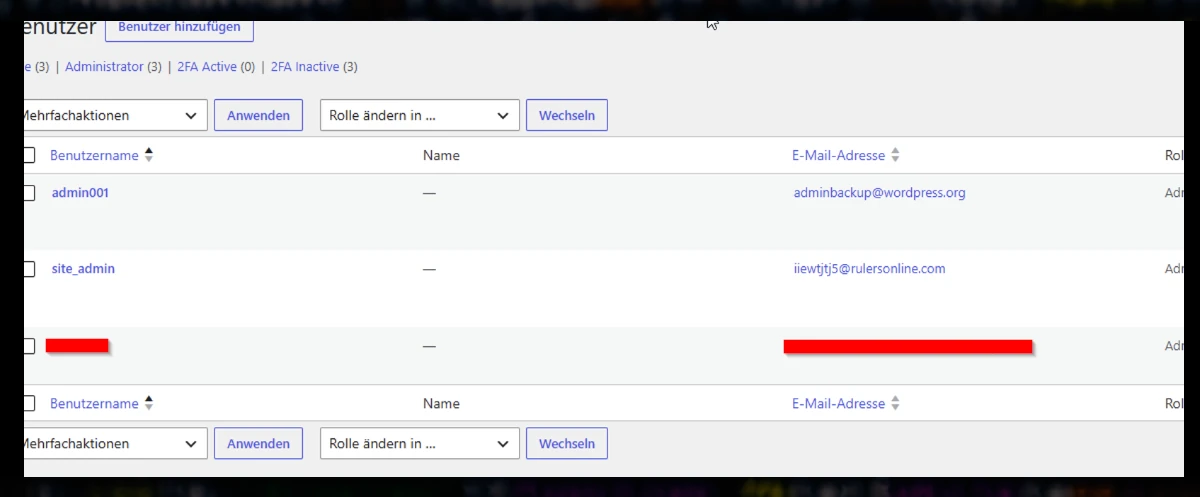
- Audit administrator accounts and retain only those that are required.
- Secure access to legitimate sources for premium components not publicly available.
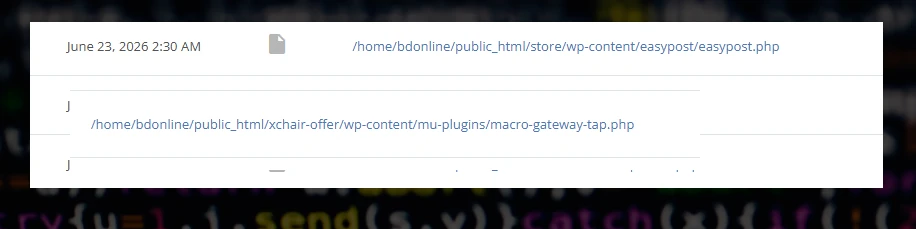
- Review all active plugins and MU-plugins individually.
- Perform a database check—hackers may store malicious PHP payloads that are later retrieved and executed through seemingly legitimate application code.
- Restore the website using verified malware-free components.
- Secure the hosting environment and reset all FTP, database, and hosting passwords.
Malicious .icu URLs
- https://tap.readmylastnotes.icu/touch/?git=cHJvYnN0LXNhdW5hYmF1LmNo
- https://day.readmylastnotes.icu/forward/go.php?git=cHJvYnN0LXNhdW5hYmF1LmNo
- https://cdn.whitellllshop.icu/landers/type.php
- https://get.whitelllshop.icu/landers/tzt.php
- https://jsapi.whitellllshop.icu/landers/type.php
- https://api.whitepppplatform.icu/click
- https://apis.whitepppplatform.icu/stream/cHJvYnN0LXNhdW5hYmF1LmNo
- https://gjs.whitepppplatform.icu/click?key=81de90cc552148418b244eff09d0efeb
- https://js.whitepppplatform.icu/click?key=419c824f869942869e021194d8f7a1f1
Conclusions
Hackers are actively exploiting vulnerable websites, and attacks are ongoing as of July 9, 2026. One of the most common ways a website becomes further compromised is through the installation of plugins or themes. Malicious files can often evade malware scanners, making prevention essential.
For this reason, disabling plugin and theme installation, as well as file editing, is a recommended security measure. It helps prevent unauthorized administrators or compromised accounts from installing malicious code or modifying website files.
The following “wp-config.php” configuration provides stronger security but also requires you to perform all updates manually—it prevents editing plugin and theme files and disables all file modifications in the WordPress admin.
define('DISALLOW_FILE_EDIT', true);
define('DISALLOW_FILE_MODS', true);
Need help? Contact us.
A malware analyst is ready to provide a security report for your website.