If your website is affected by SEO spam, not only could your website files and database are affected by malware. Often, a single infected website could be part of a large malicious network of compromised or abandoned sites, used for negative SEO and spam.
Try our free site check.
A malware analyst will provide a security report for your website.
Table of Contents
Signs of SEO spam
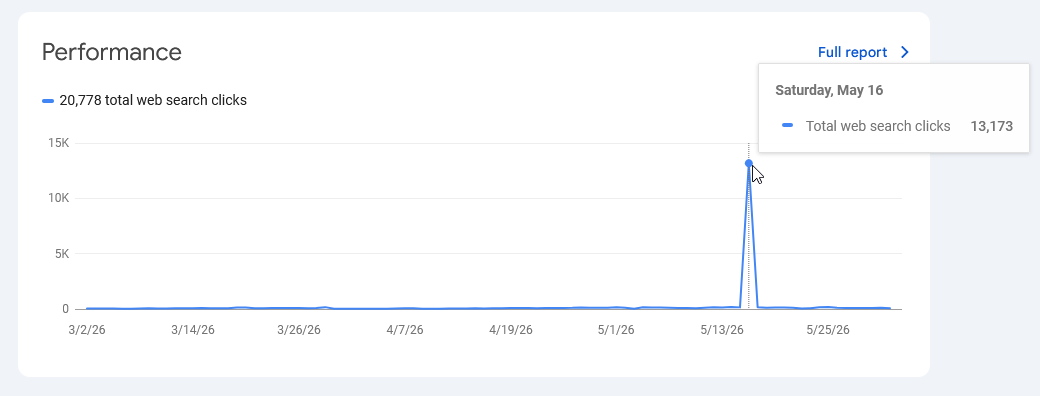
First signs of a compromised website, affected by SEO spam, are: unusual traffic spike, bogus search terms showing up on Google Search Console, and slowdowns due to high traffic.
Red flags:
- New owner alerts from Google search console.
- Unauthorized administrators.
- Newly added plugins or folder.
- Corrupted index files.
Common types of SEO spam
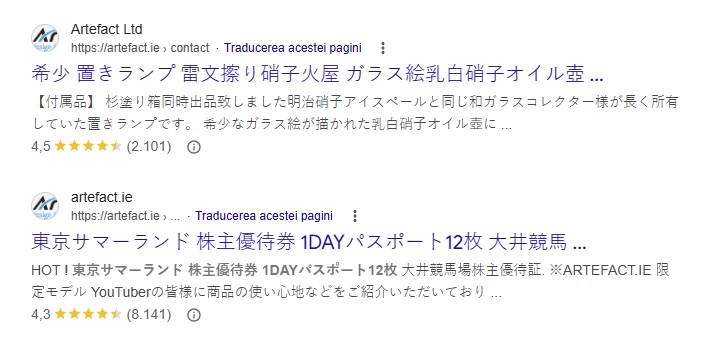
- Japanese Keyword Hack, thousands of new Google search results with non-related content written in Japanese.
- Casino search results, often triggered by malicious PHP code.
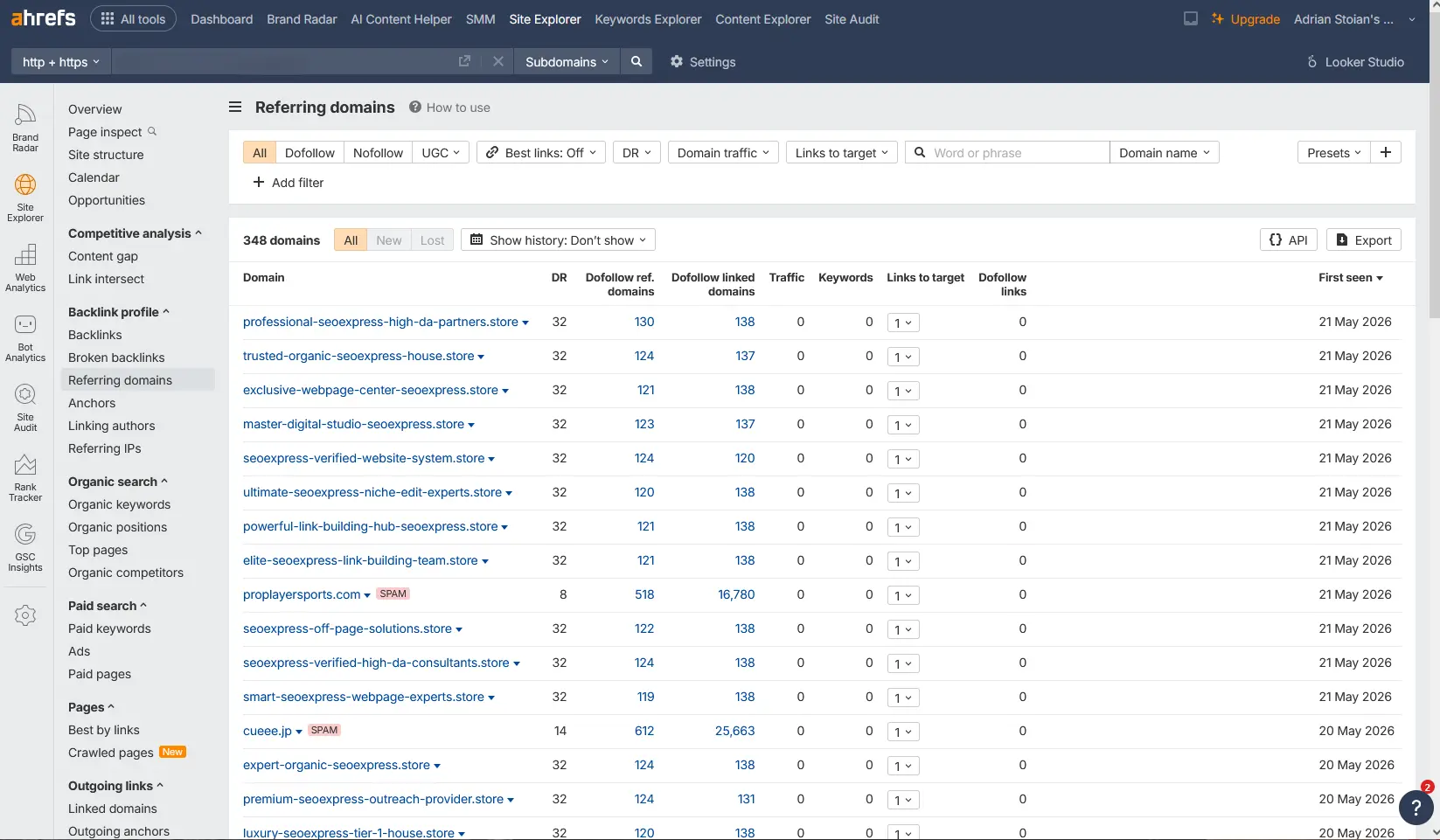
- Negative SEO, where the website gets numerous backlinks in a short period of time.
Known SEO Spam detected: How to address?
- Register and verify your website with Google Search console.
- Schedule a professional malware cleanup.
- Review web hosting security, ensuring passwords are changed.
- Check the Security section, under Google Search Console & ask for a review.
- Consider regular maintenance, to prevent similar issues.
Negative SEO spam: How to fight back?
Does negative SEO spam exist? Yes — unfortunately, it is very real and still actively exploited. It can negatively impact search rankings and reduce legitimate organic traffic over time.
- Register with Ahrefs, Semrush, or any other tool that scans and provides reports on recent backlinks.
- Verify the website with Google Search Console, and review search queries, links, and anchor texts.
- Use the YoY traffic comparison tool, and look for any unusual changes.
- Make a list of new domains pointing toxic backlinks to your website.
- Submit the root domains using the Google Disavow tool.
Malicious users often linked to SEO spam: [email protected], wp_sec_be8r82, [email protected], [email protected].
Search queries: ladangtoto, latar88, jin33, etc.
Github (often used in malware injections): https://github.com/harleytou121-ctrl
Conclusions
SEO spam, although it operates silently without popups or redirects, is a highly efficient and aggressive attack designed to manipulate search engine bots, often producing very fast results—traffic changes can be noticed just days after the site is compromised. If your website is affected by SEO spam, ensure the root cause is properly identified and fixed first, then gradually address the remaining issues.
If you suspect your website is affected by a negative SEO campaign, Japanese Keyword Hack or any type of malicious attack, feel free to request a complimentary site review.
*This article is not generated by AI.